Test beta — RequestHarbor is in a private testing period. All data will be wiped before public release.

Designed for agencies, contractors and consultancies

Stop chasing work through email. Send one link.

RequestHarbor is a branded client portal for files, answers, and sign-offs. Clients open one secure link, no account needed. Your team sees what is missing, what is done, and one shared timeline instead of scattered threads.

14-day Pro trial, no card required. Subscribe when you are ready.

requestflow-gtnqjeyz.on-forge.com/dashboard
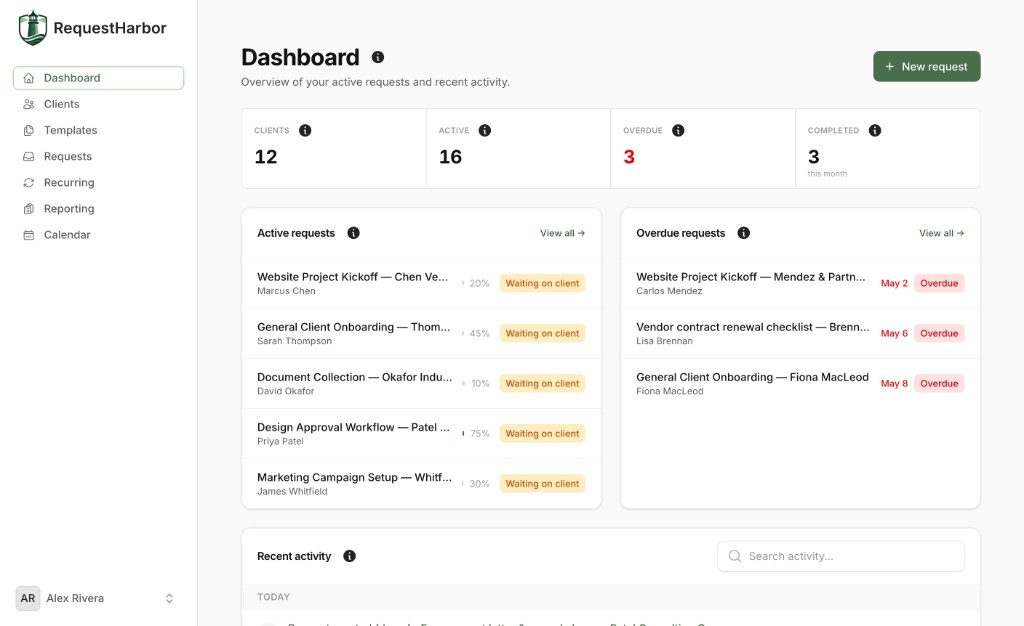
RequestHarbor dashboard showing active requests, overdue items, and recent activity

Built for the work you already do

Bookkeepers Marketing agencies Design studios Contractors Consultancies

How it works

Build, send, then watch it land

Three moves: draft the request on your side, the client works from one link, you close it out with proof on the record.

01 Compose

Build the request from a template

Pick the client, pick a template, then tune the checklist. Item types match real engagements: file uploads, short and long text, multiple choice, sign-off, and signature. Set per-item due dates so the right thing nudges at the right time.

  • Starter templates for onboarding, document collection, marketing kickoff, design approval
  • Save your own, version them, and reuse forever
  • Set due dates per item, not just per request
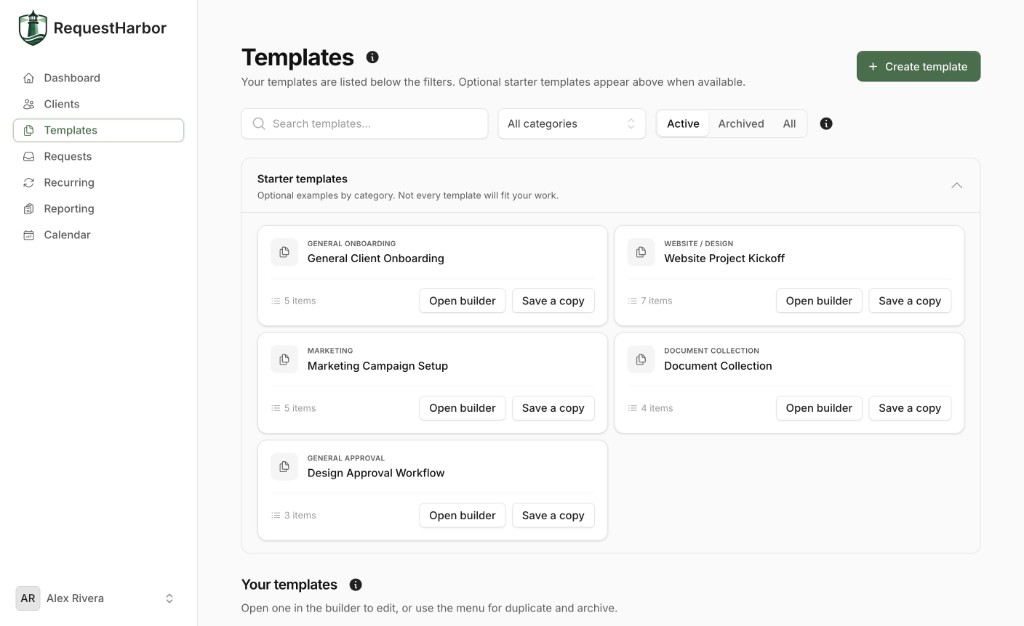
Templates library with starter templates for onboarding, document collection, and approvals
02 Send one link

Clients work from a branded portal

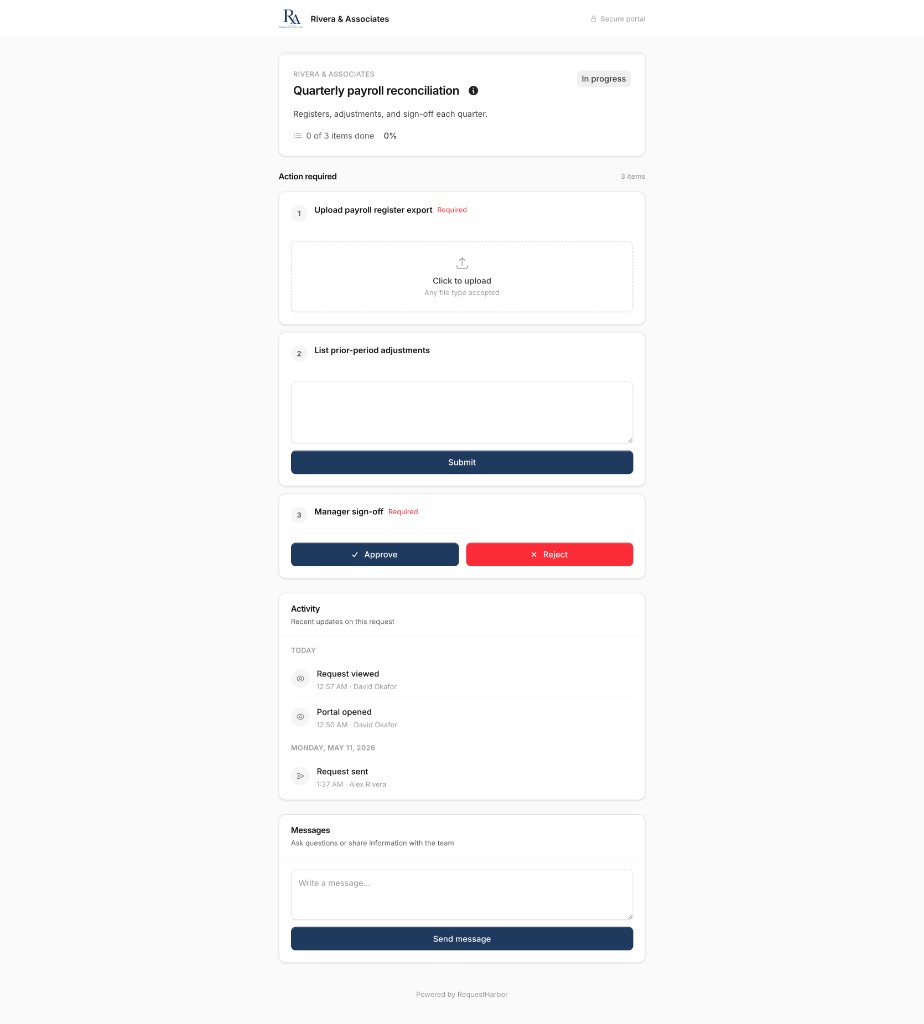
One secure link, no account, no password reset cycle. Clients see your logo and your accent color, upload files, answer questions, and sign off as they go. Status updates as they save, so your team never has to ask where things stand.

  • No login required, magic-link access from any device
  • Branded with your logo, color, and domain
  • Live progress, so they always know what is left
A client portal page branded as Rivera and Associates with action items, activity feed, and a messages thread
03 Close the loop

Review, approve, and prove it is done

Approve submissions, send them back with a note, or request a change. Automated reminders nudge clients on your schedule. Every action is timestamped, so when audit season hits you already have the proof package ready to export.

  • Approve, reject with context, or waive any item
  • Automated reminders that respect your timezone
  • Export compliance packages with a single click
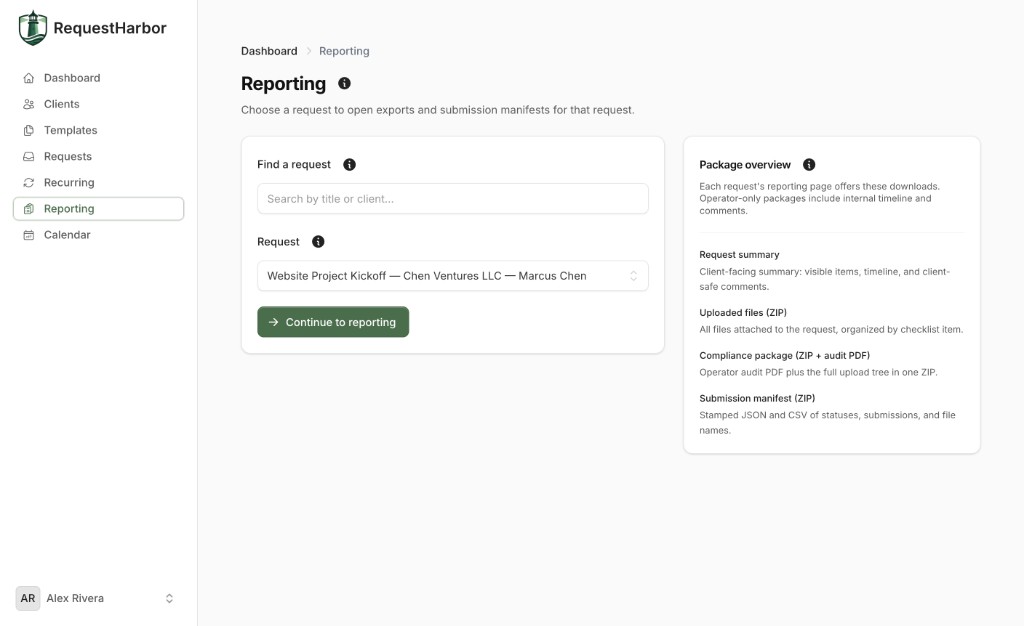
Reporting page with downloadable packages: request summary, uploaded files, compliance ZIP, and submission manifest

Features

Everything client work needs, in one place

Built around item types you already use in real engagements. Not a bloated CRM, not another project tool.

Dashboard with client count, active and overdue requests

Triage in one view

Counts of active, overdue, and completed work, plus a feed of what happened across every client. The dashboard is the morning triage tool that replaces inbox scanning.

Active counts Overdue alerts Activity feed
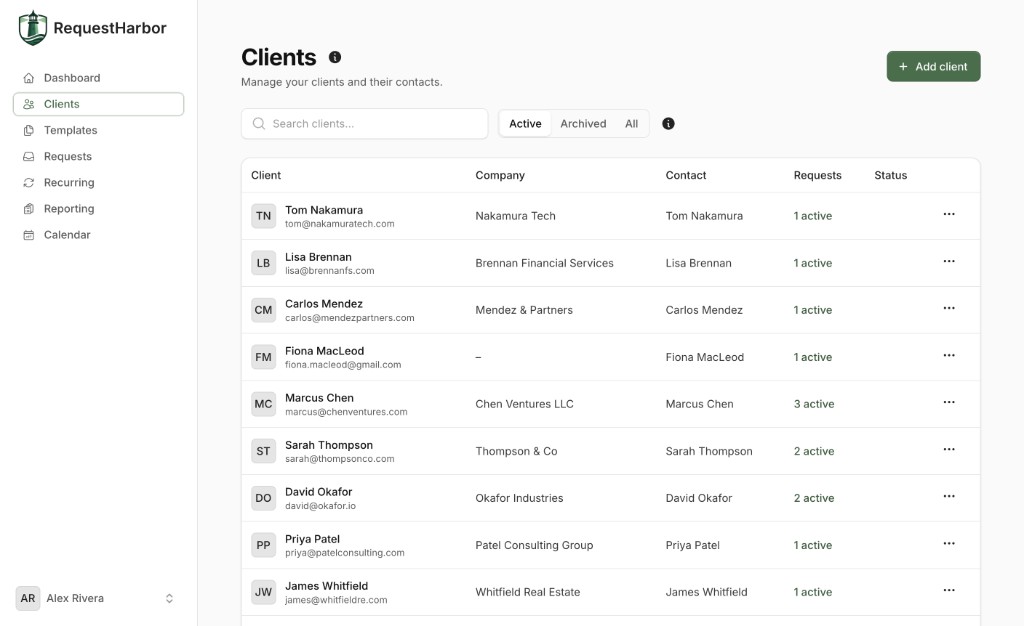
Clients page with contact list, companies, and active request counts

A real client roster

Every client and contact in one searchable list. See active engagements at a glance, archive old work, and tag who is who. No more digging through email threads to find an address.

Companies and contacts Archive Active counts
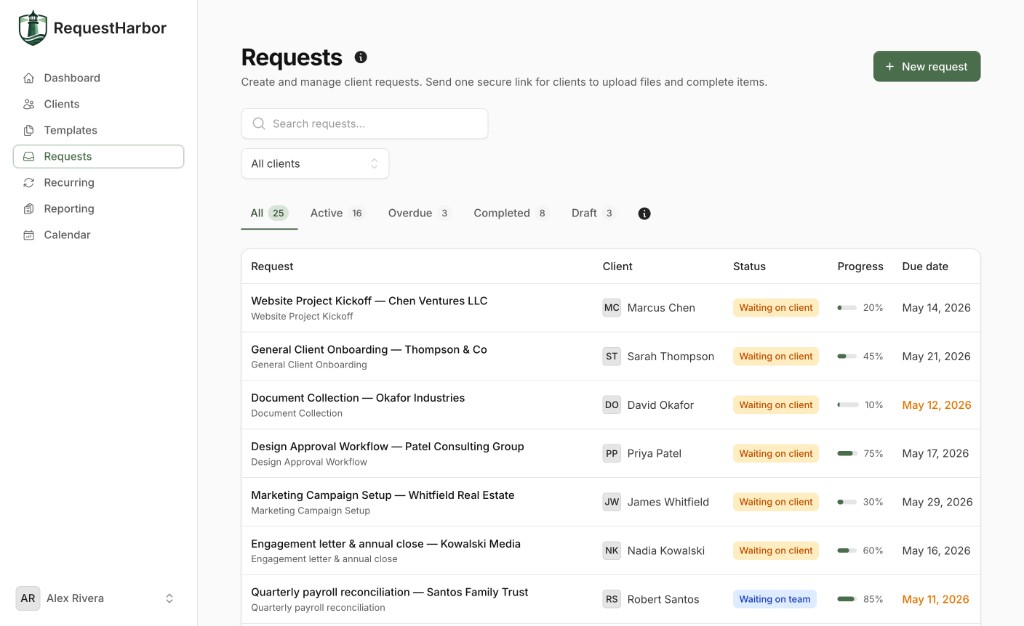
Requests inbox with all client requests, statuses, progress, and due dates

A single requests inbox

Every active, overdue, completed, and draft request in one filterable view. Status pills tell you who is blocking (you or the client), so you know exactly where to focus next.

Filters by status Waiting on team Due dates
Templates library with starter templates and saved templates

Templates, built for reuse

Start from proven templates for onboarding, document collection, design approval, and marketing kickoff. Or build your own once and reuse them forever. Every checklist becomes a launch button.

Starter library Custom templates One-click duplicate
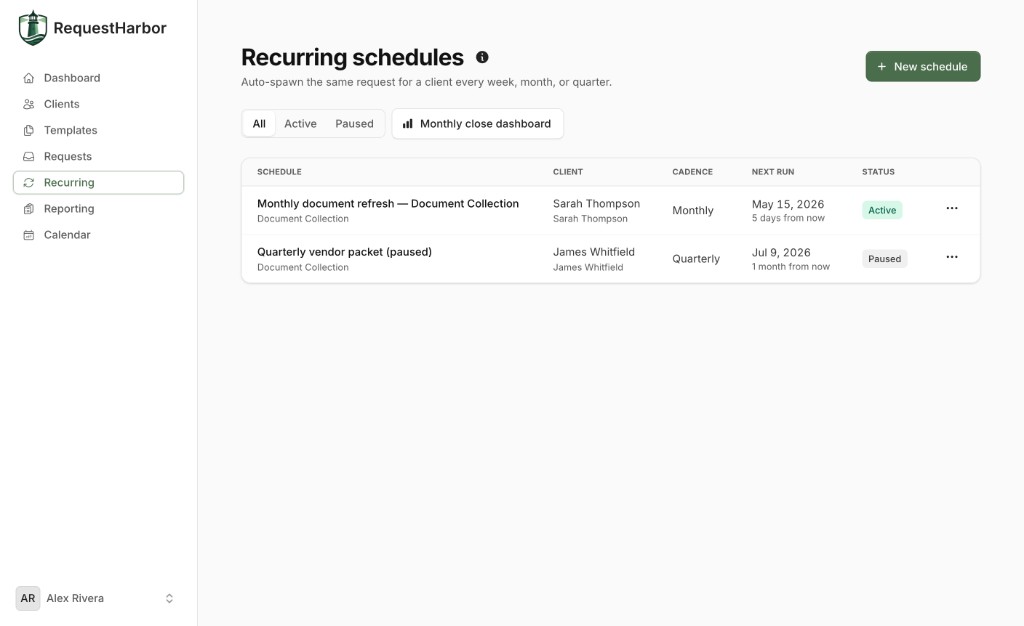
Recurring schedules that auto-spawn requests weekly, monthly, or quarterly

Recurring schedules that run themselves

Monthly close, quarterly vendor packets, weekly status updates. Set the cadence once and RequestHarbor spawns the request, sends the portal link, and reminds the client on schedule.

Weekly Monthly Quarterly Pause anytime
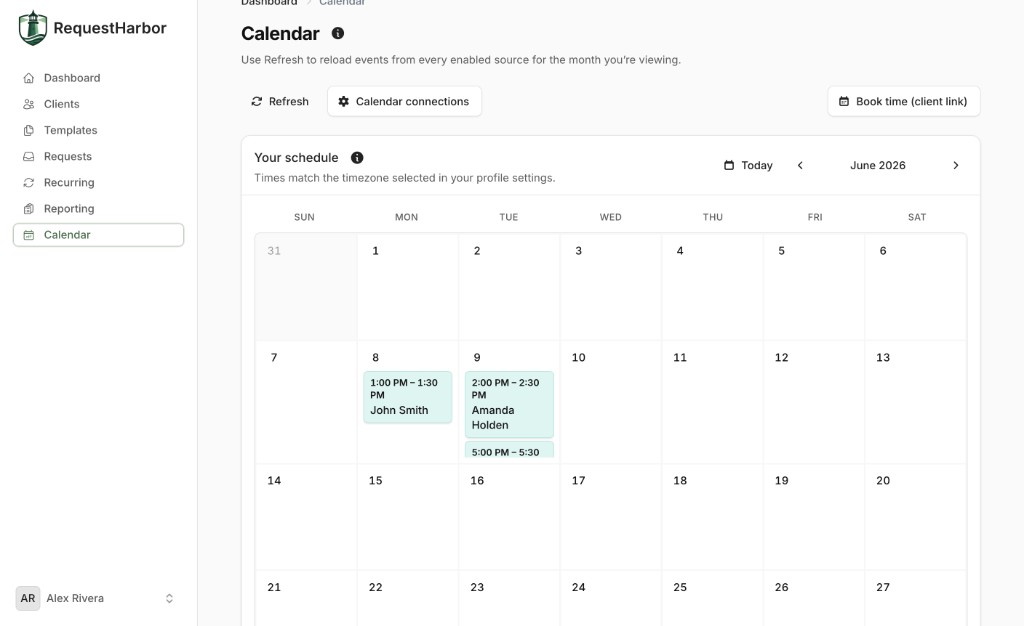
Calendar view with client meetings and shareable booking link

Scheduling next to the work

Share a booking link, pull events from Google Calendar and Calendly, and keep meetings on the same surface as the request itself. No more juggling tabs to figure out when a client is free.

Google Calendar Calendly Booking links

Secure by default

Encrypted in transit and at rest. Magic-link access means no shared passwords floating around.

Audit ready

Timestamped manifests, downloadable compliance packages, and submission histories on every request.

Branded emails and portal

Your logo, your color, and your domain on every reminder and every page your clients see.

Pricing

Simple, transparent pricing

Start with a 14-day Pro trial (no card). Then choose Starter or Pro — paid plans only, no free tier after trial.

Billing period

Starter

For freelancers and solo consultants

$29/mo

$290/yr

Billed annually · 2 months free

  • Up to 3 team members
  • 25 GB file storage
  • Unlimited requests
  • PDF request summaries
  • Automated email reminders
  • Public template library
Start trial
Most popular

Pro

For growing teams and small agencies

$59/mo

$590/yr

Billed annually · 2 months free

  • Everything from Starter
  • Up to 10 team members
  • 50 GB file storage
  • Branded client portal (logo and color)
  • Template and request parsing
  • E-signatures with downloadable signed PDFs
  • Calendar integrations (Calendly and Google)
  • Recurring schedules and close dashboard
Start Pro trial

Enterprise

For large teams and high client volume

$99/mo

$990/yr

Billed annually · 2 months free

  • Everything from Pro
  • Unlimited team members
  • 100 GB file storage
  • Onboarding and training
  • Priority support
  • And much more

FAQ

Questions, answered

Short answers to the things most teams ask before they sign up.

Do my clients need to create an account?
No. Every client opens their portal from a single secure link delivered by email. No passwords to reset, no account to create. Magic-link access keeps the friction low so your clients actually finish the work.
How is this different from email or a project tool?
Email is great for conversation, terrible for tracking deliverables. Project tools assume your client wants to log in and learn a new app. RequestHarbor sits in between: structured like a checklist, lightweight like a link. Your team gets statuses and proof, your clients get a portal that feels like nothing to use.
Can I brand the portal with my own logo and colors?
Yes. On Pro and Enterprise, upload your logo, set your accent color, and connect your own domain. Every page your client sees, plus every email reminder, carries your brand instead of ours.
What kinds of items can a request include?
File uploads (any type), short answers, long answers, multiple choice, checkboxes, sign-off, and e-signature. Mix and match. Every item can have its own due date and instructions, so the client always knows exactly what you need.
Is there an audit trail for compliance?
Every action on every request is timestamped and attributed: who uploaded what, when an approval was issued, when a reminder went out. From the reporting page you can export a compliance ZIP (auditor PDF plus full upload tree) or a stamped submission manifest.
Can I set up requests to repeat?
Yes. Recurring schedules auto-spawn the same request weekly, monthly, or quarterly. Set the cadence once and we handle the rest: portal link, reminders, and a fresh checklist on the dot. Pause or edit any schedule when life changes.
Where are files stored and how secure is it?
Uploads are stored on encrypted object storage in US data centers, encrypted at rest and in transit. Access is scoped per request and per role, with portal links that expire after a configurable window. Magic links rotate, so there are no shared credentials.
Is there a trial?
Yes — a 14-day Pro trial with no card required. You get Pro features (branding, parsing, recurring schedules, e-signatures, and more). When the trial ends, subscribe to Starter or Pro to send new requests; there is no free Starter tier after trial.

Send your first request today

14-day Pro trial, no card required. Run a real client engagement; subscribe only when you are ready to keep going.